Removable Film Labels

|
|
Time to read 4 min
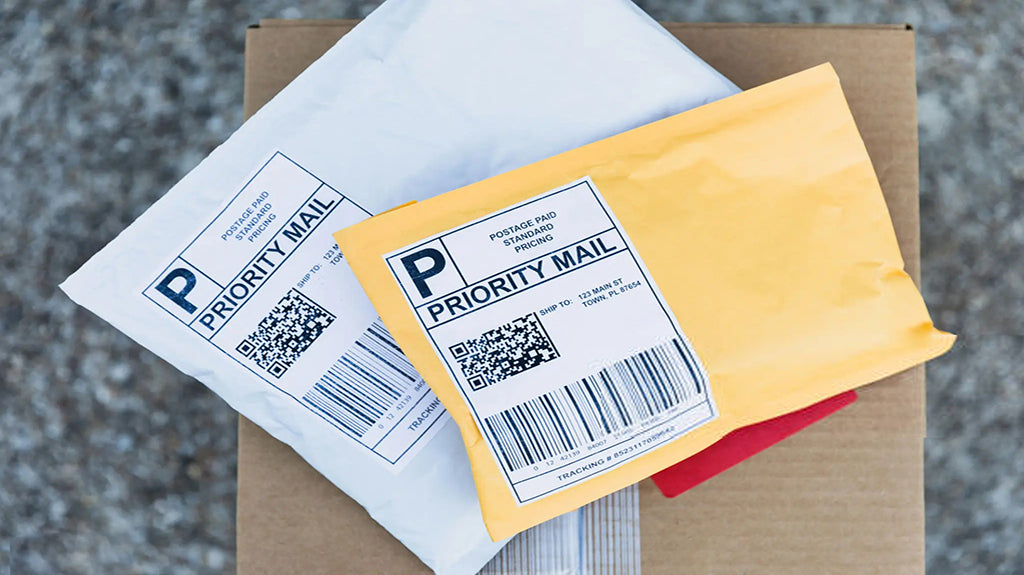
If you’ve purchased a pre-owned item or are mailing presents to someone else, you may need to cover the shipping costs. Many people are not familiar with the process and wonder if they can pay for the shipping label for other people. So, today, we’ll address this problem and provide step-by-step instructions on how. Keep reading to find out more.
Table of Content
Yes, you can pay for a shipping label for someone else. Here’s how you can do it:
1. Online Shipping Services
Create a Label Online: Use an online shipping service like USPS, UPS, FedEx, or another courier's website. You can create a shipping label using your account and pay for it. Enter the recipient's address as the "Ship To" and your own address as the "Ship From," or use the other person's address as the "Ship From" if they're sending something to another party.
Email the Label: Once the label is generated, you can email it to the person who will be shipping the package. They can print it out and attach it to their package.
Purchase at Your Local shipping store: Visit a shipping store (e.g., a UPS Store or FedEx Office) and purchase a shipping label in person. Provide the necessary shipping details, pay for the label, and either send it directly from the store or give the label to the other person to use.
3. Third-Party Services
Use a Shipping Platform: Some third-party platforms, like Pirate Ship or ShipStation, allow you to create and pay for shipping labels that you can then forward to someone else.
4. Mobile Apps
Courier Apps: Many shipping companies have mobile apps where you can create and pay for a shipping label, then share it electronically with the recipient.
Next we’ll introduce how to purchase a label for someone else on two main carriers, UPS and USPS. The process is similar on other platforms, making it easy to apply these steps across different services.
UPS No-Label Shipping service, available through ShipSaving, is an enhanced service that lets you generate a barcode instead of printing a label. Simply bring your pre-packaged item to the nearest UPS store, where the staff will scan the barcode and print the shipping label for you—no printer needed and no extra cost! If you need to buy a shipping label for someone else, you can choose to send him/her the barcode. This is easier and more convenient!
Here’s how to purchase a shipping label through ShipSaving:
1. Enter the sender and recipient addresses, and fill in the package details. Click "Get Rates" to see your shipping options.
2. Select a UPS service and click "Purchase Label." A pop-up will prompt you to choose how to receive your label. Just click "Get Barcode," and ShipSaving will generate one for you.
3. After purchase, download the barcode and click "Ship" to find the nearest UPS drop-off location. You'll also receive a confirmation email with the barcode.
4. Take your pre-packaged item to your local UPS store. The staff will scan the barcode and take care of the rest—no extra steps required!
Paying for a shipping label for someone else is easy and efficient, whether you’re using UPS, USPS, or another platform. With features like UPS's No-Label Shipping service, you can streamline the process and ensure smooth shipping without needing a printer!
About Betckey
Betckey Premium Labels is a leading supplier of compatible direct thermal labels, committed to high-quality and eco-friendly products as well as competitive pricing. Now, our Amazon store ranks first in the US, Canada, and Western Europe with thousands of positive ratings. Visit betckey.com and get 10% off purchases over $150 with code Betckey10 and 15% off over $400 with code Betckey15! Sign up now and we'll send you a $5 discount code towards your first purchase. By the way, welcome to follow our official @ Tik Tok and @ Youtube accounts to get Betckey’s latest news!
If you don't have a printer, you can:
1. Place an order on a carrier’s website or a third party platform
2. Scan and print by mobile barcode at a UPS location or email the label and print it later.
If you want to buy thermal labels or sticker paper, you can check out more on our store