Removable Film Labels
Written by: Kelly Chen
|
|
Time to read 1 min
Have you ever found yourself in a situation where all your labels are mixed together and no one knows how to distinguish between them? If so, you’re not alone. This is a common issue many businesses face. But don’t worry—I’m here to share some helpful methods for accurately finding and classifying the labels you need.
Table of Content
The first step in sorting mixed labels is to categorize them by their type and intended purpose. This could include:
To keep your labels organized, use designated storage containers or compartments. Clearly labeling these containers enhances organization and accessibility. For example, you can have separate bins for:
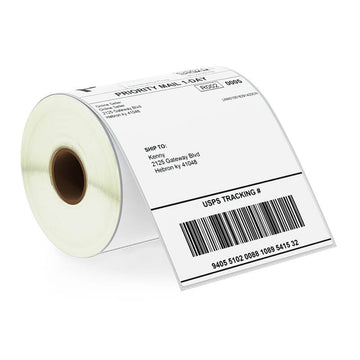
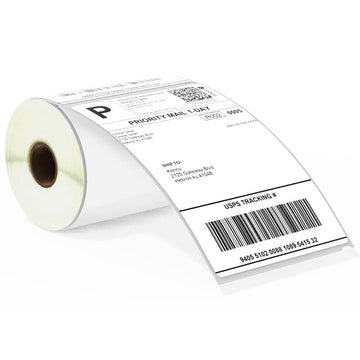
Sometimes, you may encounter labels that look very similar, especially if they have the same size printed on the back. For instance, Zebra 4x6 labels and Dymo 4x6 labels can be confusing. Here’s how to tell them apart:
Check for a Proprietary Hole: Dymo LabelWriter printer check for a 1/8" gap and a proprietary hole (eye mark) in the liner. Zebra labels do not have this marking. Therefore, if you see a hole on the liner, it’s a Dymo label. If there is no hole, it’s a Zebra label.
Dymo LabelWriter printer need a special cut-out hole on each label. If the hole isn't there, the printer won't print. The printer uses a laser sensor to find this hole, and without it, the Dymo LabelWriter printer just won't print the labels.
By following these sorting techniques and identification methods, you can effectively manage your label collection, saving time and reducing frustration. Ensure you use appropriate storage containers and understand the compatibility between different label types and printers.
If you want to buy thermal labels or sticker paper, you can check out more on our store

24/7 support team
Multiple Payment Methods
Worry-free shopping
Delivery in 3-7 business days
Be the first to know about label discounts,
product launches, and time-saving tips — subscribe now!
Are you 18 years old or older?
Sorry, the content of this store can't be seen by a younger audience. Come back when you're older.
Dymo 30256 Compatible Large Shipping Labels 2-5/16” x 4”
Dymo 1744907 Compatible Shipping Labels 4" x 6"
Love your stuff. What I buy from you. Works great with my Brother Q800 label maker. Except when I ordered the wrong size 😂. Thanks again. I do have a question. Would you like to advertise on my autograph Group. I do have a few members that have a label maker like mine. And you might get even more business because right now I have 1,500 members and growing. Think about it. Autograph HoundS. Go by that name only. As someone else has their first name and then autograph Hounds. Or look me up. Beverly Laura Ford Gamble. I am trying to generate a little extra income for the overall group.
The labels seem to be of sufficient quality and arrived quickly.
Betckey is amazing very helpfully and friendly easy to get things ordered
Brother DK-2205 Compatible Continuous Labels 2.4" x 100'
The labels came in the mailer without any instructions, packaging insert, printing template or information about how to print. It was literally just an envelope full of loose labels. This template come with out proper alignment which made me waste so much peper. To avoid the hassle and time involved in locating a print template and sorting through everything, it would have been better to go with a name brand like Avery. I’m super disappointed.
At first I thought I had ordered incorrectly, as the two rolls were wrapped so tightly in black plastic, that I thought either incorrectly ordered or was incorrectly shipped.
Well I opened one, as realized this must have been wrapped this way because of the thermal products ordered.
Product looks good, but not used for printing yet.
It was wrapped well and arrived super fast.