Removable Film Labels

|
|
Time to read 3 min
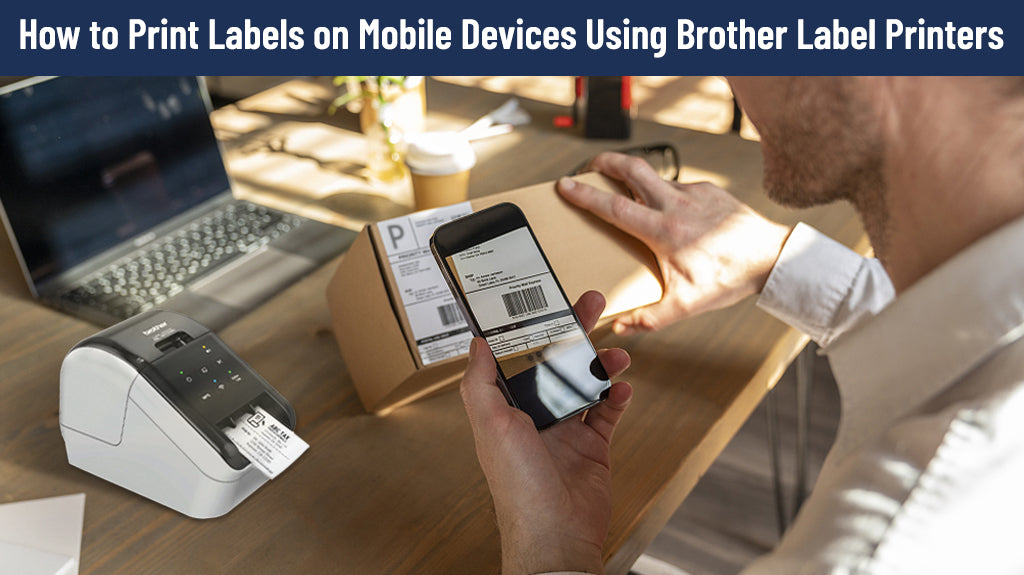
Smart phones are just like powerful computers you can carry with you everywhere. Using phones to print labels makes your printing process easier, quicker, and more convenient. So if you are not yet familiar with how to print labels on mobile devices, continue reading to find out!
Table of Content
This is very simple. If you have any problem with this, don’t worry. Just click here for detailed instruction. This is an article we wrote earlier about how to load and change Brother labels.
For android users, download IPrint&Label from your Google Play Store App (If this doesn’t work, try downloading “Brother Printer Plug-in”).
For apple users, download it from your App Store.
Click here to download the app.
For android users, use USB, WiFi Direct, WiFi or bluetooth.
For apple users, use WiFi Direct, WiFi or Remote Print ( Google Cloud Print ).
Note:
For Apple Users
1) Open the document you need to print on your image or other applications
2) Tap the Share icon at the left corner
3) Scroll down to Print icon
4) Select printer
5) Select your printing preferences
6) Tap Print
Or
Directly open IPrint&Label on your phone, select your label printer, and select a template or create a new label and change or adjust elements to needed ones.
For Android Users
1) Open IPrint&Label
2) Open the document you need to print.
3) Tap 3 dots at the right top
4) choose your Brother printer
5) Drop down and select the printing preferences. You can choose number of pages to print and one-sided or two-sided to print.
6) Tap the Print icon to print.
Or
Directly open IPrint&Label on your phone, select your label printer, and select a template or create a new label and change or adjust elements to needed ones.
1) open your eBay and go to My eBay
2) choose not yet shipped items
3) print shipping label
4) choose your carrier &service
5) select package information - select Purchase
6) tap the printer options and choose your printer
7) tap Print
Learning how to print labels from your phone can significantly enhance your productivity and efficiency. Follow the steps outlined above to embark on your mobile printing journey and make label printing a breeze!
If you want to buy thermal labels or sticker paper, you can check out more on our store
The process is the same as using your IPhone, and so as to your iPod touch and iPad mini.
Check the Communication Settings in the Printer Settings Tool or print the printer configuration report from the printer to view the IP address.
First, check if your phone and printer are connected to the same WiFi.
Then, reconnect again.
If this doesn't work, turn off your phone and printer both for 15 seconds and turn them both on again. If this doesn't help, please go to Brother official team to seek for help. Good luck!