Removable Film Labels

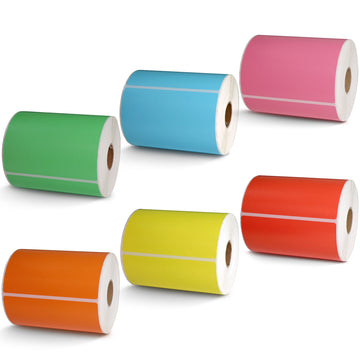
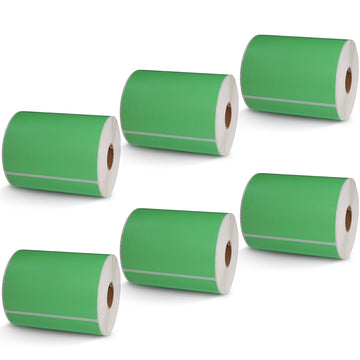
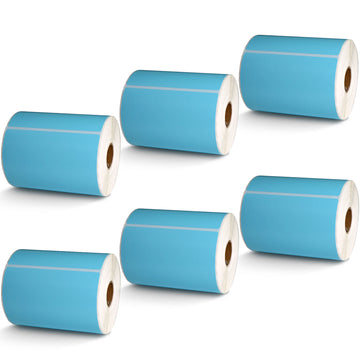
|
|
Time to read 3 min
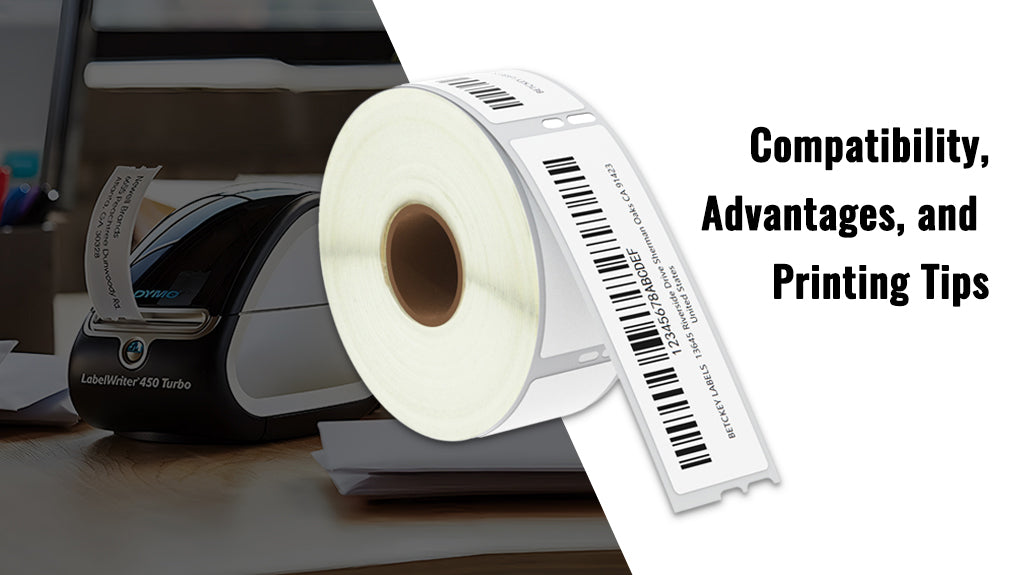
If you’re looking for a reliable and cost-effective alternative to Dymo brand labels, the Betckey Dymo 30252 labels are an excellent choice. In this article, we’ll dive into what these labels are, their compatibility, key advantages, and how you can effectively use them for various labeling needs.
Table of Content
Dymo 30252 labels are high-quality thermal labels primarily used as standard address labels. They are designed to work seamlessly with Dymo LabelWriter printers, offering a budget-friendly option without sacrificing performance. These labels are perfect for businesses and individuals who need to print labels for mailing, shipping, or organizational purposes.
One of the standout features of Dymo 30252 labels is their broad compatibility with various label printers. They are suitable for use with the following Dymo LabelWriter printers:
- DYMO 450 Series: Including 450, 450 Turbo, 450 Twin Turbo, 450 Duo.
- DYMO 4XL & DYMO Wireless Printers.
- DYMO 400 & 332 Series.
- Zebra and most thermal label printers that allow adjustment of the print width to 1.4 inches.
Warm Tips:
Unfortunately, Dymo 30252 labels are not compatible with the DYMO 550 & 5XL printers that require RFID chips. These labels do not support Rollo and Munbyn printers, which hold labels outside the printer and require a width of at least 1.57 inches.
Betckey Dymo 30252 labels offer several advantages that make them a popular choice among users:
1. Cost-Effective: Betckey Dymo 30252 labels offer the same functionality as the name-brand Dymo labels but at a much lower cost. For example, you can get a 6-roll pack of Betckey Dymo 30252 for just $15.99, compared to $21.75 for only 2 rolls of the brand-name Dymo 30252. This significant price difference makes Betckey Dymo 30252 an excellent budget-friendly option for anyone looking to save on labeling supplies.
2. Strong Adhesive: These labels come with a patented adhesive that remains reliable even in extreme temperatures ranging from 14℉ to 158℉. The strong, long-lasting stickiness ensures that your labels stay securely in place, reducing the risk of shipping losses due to labels peeling off. This reliability helps you maintain a smooth operation and enjoy the added profits in your business.
3. High Compatibility: Their wide compatibility with various printers ensures that you won’t have to worry about finding the right label for your device.
4. Versatility: While mainly used as standard address labels, these labels are also perfect for barcode labels, FNSKU labels, and more. Their versatility makes them ideal for packages, envelopes, mails, letters, parcels, signs, and temporary name tags.
Printing address labels with Dymo 30252 is straightforward if you follow these simple steps:
1. Prepare Your Printer: Ensure your Dymo LabelWriter printer is connected to your computer and properly loaded with Dymo 30252 labels.
2. Set Up Your Labeling Software: Open your Dymo Label Software or compatible labeling software. Select the Dymo 30252 address template from the label options.
3. Enter Your Address: Input the address information you want to print. You can customize the font, size, and alignment to suit your preferences.
4. Preview Your Label: Before printing, preview the label to ensure all the information is correctly formatted.
5. Print: Once satisfied, hit the print button. Your Dymo LabelWriter will print the labels quickly and efficiently.
By understanding the features and proper use of Dymo 30252 labels, you can streamline your labeling process, save money, and ensure your packages and mail are always labeled with precision. Whether you're running a business or simply organizing your home office, these labels provide a reliable solution for all your labeling needs.
If you want to buy thermal labels or sticker paper, you can check out more on our store
Yes, as long as the printer supports thermal printing and allows adjustment of the print width to 1.4 inches, Dymo 30252 labels should work. However, they are not compatible with printers that require RFID chips or have specific width requirements like Rollo and Munbyn and Brother.
Dymo 30252 labels are versatile and can be used for address labels, barcode labels, FNSKU labels, and temporary name tags. They are commonly used on packages, envelopes, mails, letters, parcels, and signs.
Yes, Dymo 30252 labels are designed to be just as durable and reliable as the Dymo labels, making them an excellent alternative at a lower cost.
Check if you have chosen the wrong label size or if the software haven’t change the label size automatically. This is the most common reason.