Removable Film Labels

|
|
Time to read 3 min
The Dymo Labelwriter 4XL printer is a USB-connected printer designed for printing large 4" x 6" shipping labels. It is a popular model among labelwriter printers.
While some users like its compatibility with online shipping software and the convenience of 4" x 6" labels , an equal number don't like it. Many users report frequent malfunctions when Dymo Labelwriter 4XL printer handle large quantity printing tasks.
Table of Content
Compared to Brother P-Touch and Zebra software, Dymo Connect lacks both the convenience of an auto-select function and the flexibility of a customizable setup function. With Dymo Connect, you have to manually select the size and cannot set up special sizes that are not included in the existing options.
However, the advantage of Dymo Connect lies in its ease of use. On one hand, Dymo Connect provides some special printing templates like 30277 to help you print 2-up labels, such as price tags. On the other hand, designing labels with Dymo Connect feels very smooth.
The DYMO Connect app provides a variety of functionalities to improve your label-making process.
Design: The app boasts a user-friendly interface, ensuring effortless label creation for everyone.
Spell Check: Automatically detects and corrects spelling mistakes for accurate labels.
Voice-to-Text: Save time by dictating label text instead of typing.
Customization: Personalize your labels with a selection of fonts and images.
Label Types and Templates: Expedite label printing with the app's extensive collection of label types and templates.
Despite both devices having a default resolution of 300 dpi, the Brother QL1110NWB beat the 4XL in printing speed. Working exclusively with its own label line, Brother delivers professional-looking, die-cut labels in less time.
Additionally, Brother's generic labels, similar to Dymo's, offer an advantage. Brother labels come with their own cartridges, featuring the "auto-pick" feature for quicker and easier label loading. The built-in cutter further enhances efficiency in the labeling process.
If you're considering purchasing the Dymo LabelWriter 4XL printer, it's important to note that there are two versions of this model: the US version and the international version. These different versions determine the label series number. For instance, 4x6 inch labels are named 1744907 in the US version and S0904980 in the international version.
These two printer versions require different label sensors. The US version relies on index holes between labels as the sensor to help the printer identify each label. On the other hand, the international version requires both holes and black sensor marks on the backing paper.
Thanks to Betckey's product department, all Betckey labels designed to replace Dymo labels include both index holes and black sensor marks. This ensures compatibility with your printer, regardless of the version.
The Dymo LabelWriter 4XL supports a wide range of label sizes, thanks to its maximum print width of 4.16 inches . Below are the most common label sizes the Dymo 4XL can print, along with direct links to compatible labels for purchase:
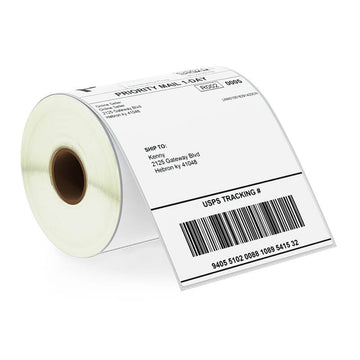
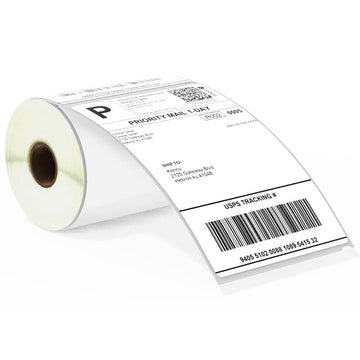
4" x 6"
This is the most common label size for shipping and is compatible with most eCommerce platforms like Amazon, eBay, and Shopify.
2-5/16" x 4"
Another popular size for smaller shipping packages and parcels.
1-1/8" x 3-1/2"
A popular size for mailing and address labeling.
1" x 2-1/8"
This is a popular size for return address labels and small envelope labeling.
2-1/4" x 1-1/4"
Perfect for product labeling, inventory management, and price tags.
1" x 1"
Ideal for printing QR codes, small multipurpose labels, and other compact designs.
2-1/8" x 4"
Commonly used for event name tags and identification badges.
2-1/4" x 4"
Slightly larger name badge size for enhanced visibility and customization.
Considering the pros and cons, the Dymo LabelWriter 4XL printer is a good choice for small business owners. This printer can make them print 4" x 6" labels at home. Its printing app, Dymo Connect, offers plenty of shipping templates that cover most of the needs of small business owners. However, their generic labels are expensive and come in different versions, but Betckey helps you solve those issues.
If you want to buy thermal labels or sticker paper, you can check out more on our store
Products Featured In This Blog